robonix.robot.agilex.dual_piper
robot
v0.1.0
Robonix deployment for two AgileX Piper arms and their factory CAN grippers.
AgileX Dual Piper Robonix Deployment
This repository is a complete Robonix deployment for two locally connected AgileX Piper arms and their factory CAN grippers. It includes independent arm and gripper control, health telemetry for Soma and Vitals, guarded dual-arm initialization, and one operator-recorded fixed object-transfer workflow.
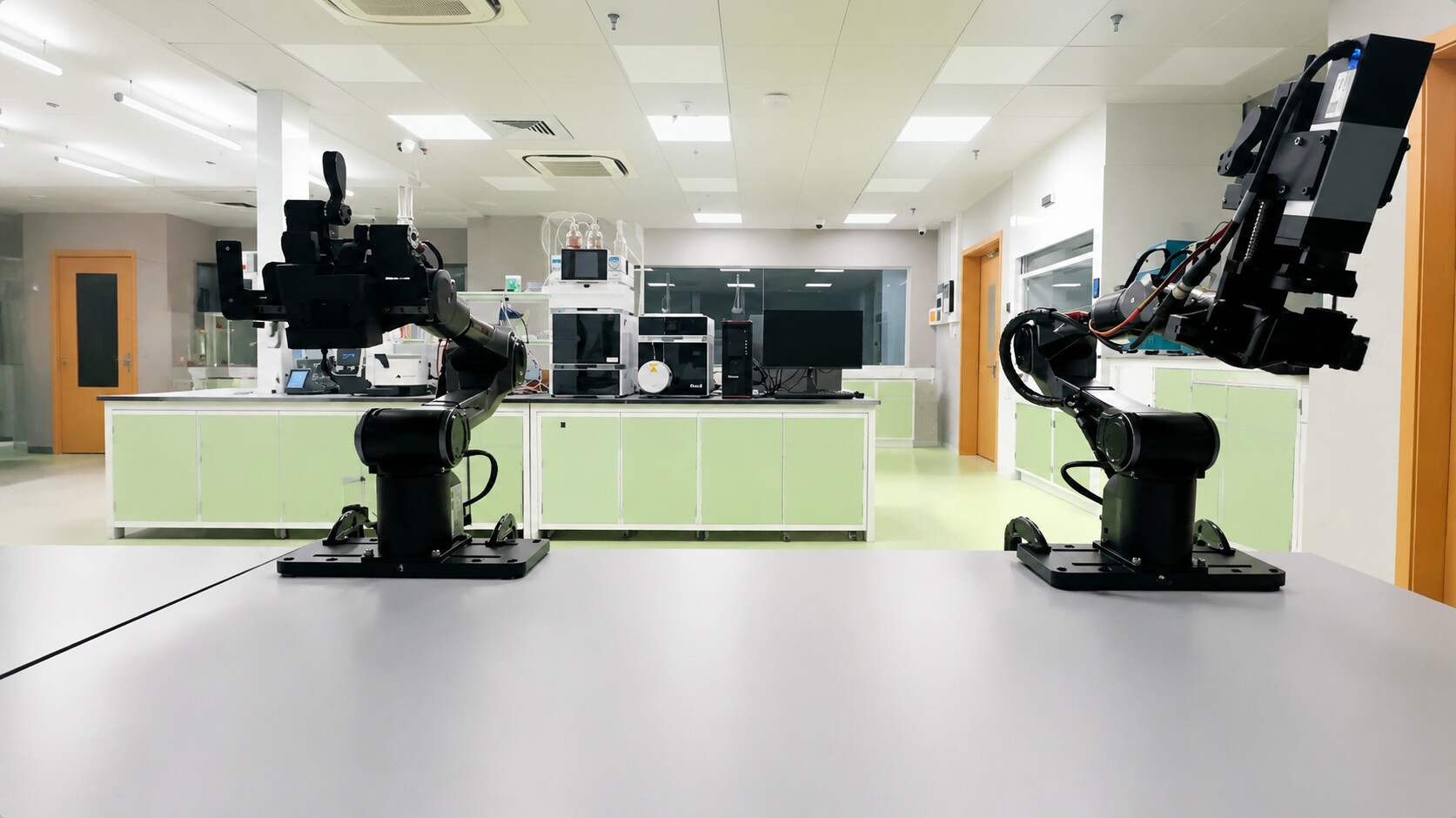
The deployment deliberately contains no camera, perception, hand-eye calibration, Cartesian planner, or collision checker. The transfer skill is a fixed joint-space sequence for the verified Robot workcell only.
Hardware Mapping
| Provider | Hardware | Interface |
|---|---|---|
left_piper |
Left Piper and factory gripper | can_left |
right_piper |
Right Piper and factory gripper | can_right |
audio_client_bridge |
Robonix Client microphone and speaker | reverse WebSocket on 60002 |
Each Piper provider exposes status, independent arm and gripper enable/disable, bounded joint jogging, absolute joint trajectories, gripper position and zero control, emergency stop, and live joint health telemetry.
The bundled skills are:
dual_piper_initialize: after explicit confirmation that both grippers are mechanically closed, set both gripper zero positions and enable both arms and grippers.dual_piper_transfer: move one pre-positioned object from the fixed left pickup point through a center handoff to the fixed right placement point, after explicit confirmation that both workspaces are clear and the object is at the recorded pickup point.
Transfer Plan
Workcell calibration is stored separately from Skill code in
skills/dual_piper_transfer/config/transfer.yaml.
It contains all L0-L5 and R0-R5 joint angles, motion speed, grasp and release
openings, temperature limit, and final tolerance. The Python workflow contains
only the sequence semantics.
The Skill validates the entire plan during initialization and refuses to start if a waypoint is missing, contains anything other than six finite angles, has a target outside the nominal Piper joint limits, or uses an unsafe parameter. The motor-temperature threshold cannot exceed 75 C. Health, communication, fault, and temperature feedback are checked again before every trajectory and gripper action; reaching the threshold stops the remaining sequence. After editing the plan, validate every intermediate path under direct supervision before running the complete transfer.
Safety
Boot opens both CAN buses for feedback but does not enable or move hardware.
ROBONIX_ALLOW_MOTION selects only the initial motion-gate state when each
provider activates. The checked-in .env.example keeps this switch at 0.
When motion is locked, the provider's status.detail gives Pilot the exact
absolute command that the on-site operator must run. Pilot cannot unlock motion
itself. A typical command, run from the active cached Piper package directory,
is:
rbnx-build/venv/bin/python scripts/motion_lock.py unlock --provider left_piper
Use right_piper for the right arm. The command reads an owner-only token that
is replaced on each provider activation, so it must be run as the OS user that
owns the active provider. After it succeeds, call status again and require
motion_unlocked=true. Runtime lock is available through the same script with
lock in place of unlock; locking needs no token and immediately sends a fast
stop, including during an active trajectory.
Joint jogging is limited to 5 degrees per request and 15 percent speed. Absolute trajectory execution accepts only validated J1-J6 waypoints, advances after all six joints settle within 1.5 degrees, and performs no collision checking. Shutdown sends a fast stop and disables hardware used by the session, so support the arms before shutdown if gravity sag could create a hazard.
Never run the fixed transfer skill unless both workspaces are clear and the object is at the recorded pickup point. After a failed or interrupted transfer, restore the complete physical initial state before retrying.
Prerequisites
- Linux with SocketCAN interfaces
can_leftandcan_rightconfigured at the Piper-required bitrate. - Robonix
rbnx0.1.0 from thedev-nextsource tree, registered withrbnx setup. uv, Python 3,can-utils, and normal build tools.- AgileX
piper_sdk0.2.20 at commit4eddfcf817cd87de9acee316a72cf5b988025378. - A Robonix-compatible VLM endpoint and credentials.
Install and register Robonix using the upstream instructions. A typical source setup is:
git clone --branch dev-next https://github.com/syswonder/robonix.git
make -C robonix/rust install
rbnx setup "$(pwd)/robonix"
Clone the tested Piper SDK revision:
git clone https://github.com/agilexrobotics/piper_sdk.git
git -C piper_sdk checkout --detach 4eddfcf817cd87de9acee316a72cf5b988025378
Configure
Clone this deployment and create the untracked environment file:
git clone https://github.com/syswonder/robot-agilex-dual-piper.git
cd robot-agilex-dual-piper
cp .env.example .env
Set these values in .env:
VLM_BASE_URL=https://your-openai-compatible-endpoint/v1
VLM_API_KEY=replace-with-your-key
VLM_MODEL=your-model

# Parent directory containing the piper_sdk checkout.
PIPER_SDK_PARENT=/absolute/path/to/piper-sdk-parent

# Keep 0 until the physical workspace and emergency stop have been checked.
ROBONIX_ALLOW_MOTION=0
The VLM key must remain only in .env; never commit it.
Build And Preflight
Build every local and remote deployment package:
rbnx build -f ./robonix_manifest.yaml
With both arms powered and CAN configured, check for arm and gripper feedback:
bash scripts/preflight.sh
The preflight is read-only. Both interfaces must report ERROR-ACTIVE and a
Piper gripper feedback frame.
Run
After clearing the workspaces, checking the physical emergency stop, and
choosing the motion setting in .env, start Robonix in terminal 1:
cd /path/to/robot-agilex-dual-piper
set -a
source .env
set +a
rbnx boot --no-update-check
For the desktop UI, install and start Robonix Client in terminal 2:
git clone https://github.com/syswonder/robonix-client.git
cd robonix-client
python3 -m venv .venv
source .venv/bin/activate
pip install -e ".[audio]"
robonix-client --robot-host 127.0.0.1
Open http://127.0.0.1:7860/, connect to Atlas, and use the Audio and Vitals
workspaces as needed. The client starts its local computer-audio service
automatically.
Demonstration Workflow
First read both arm states. If either reports gripper_enabled=true, call its
disable_gripper capability and verify gripper_enabled=false. Only after both
grippers are disabled, clear both workspaces and manually close both grippers
completely. Then submit:
左右机械臂工作区域已清场,我已手动将左右夹爪完全合拢。请初始化左右机械臂及其夹爪。
Wait for initialization and verify both arms and grippers are enabled and homed. Place the object at the recorded fixed left pickup point, clear both workspaces again, and submit:
左右机械臂工作区域已清场,物体已放在左侧固定取物点。请执行双臂协同搬运。
The expected sequence is left pickup, center handoff, right placement, and both arms returning to their recorded home waypoints.
Inspect And Stop
While the deployment is running:
rbnx caps -v
rbnx logs -d ./rbnx-boot/logs -l warn
Before shutdown, confirm the object is released and both arms can be safely disabled. Then run:
rbnx shutdown -f ./robonix_manifest.yaml
Development Checks
After rbnx build, run the offline package checks without connecting to CAN:
rbnx validate ./primitives/piper_arm
rbnx validate ./skills/dual_piper_initialize
rbnx validate ./skills/dual_piper_transfer

PYTHONPATH=primitives/piper_arm \
  primitives/piper_arm/rbnx-build/venv/bin/python \
  -m unittest discover -s primitives/piper_arm/tests
PYTHONPATH=skills/dual_piper_initialize \
  skills/dual_piper_initialize/rbnx-build/venv/bin/python \
  -m unittest discover -s skills/dual_piper_initialize/tests
PYTHONPATH=skills/dual_piper_transfer \
  skills/dual_piper_transfer/rbnx-build/venv/bin/python \
  -m unittest discover -s skills/dual_piper_transfer/tests
Display Model
The checked-in URDF and DAE assets come from the official AgileX
agx_arm_urdf repository at pinned revision
f6642ce0d7872c686f29c99e9e10cd23d1d49313. Their provenance, checksums, and
regeneration procedure are documented in model/README.md.
The base offsets are display-only estimates and must not be used for planning.
License
Deployment code is available under the MIT License. The bundled AgileX display
model retains its upstream MIT notice in
model/AGX_ARM_URDF_LICENSE-MIT.txt.