robonix.robot.unitree.go2_mujoco
robot
v0.2.0
Web/native MuJoCo Go2 simulation with exploration and Scene semantic navigation.
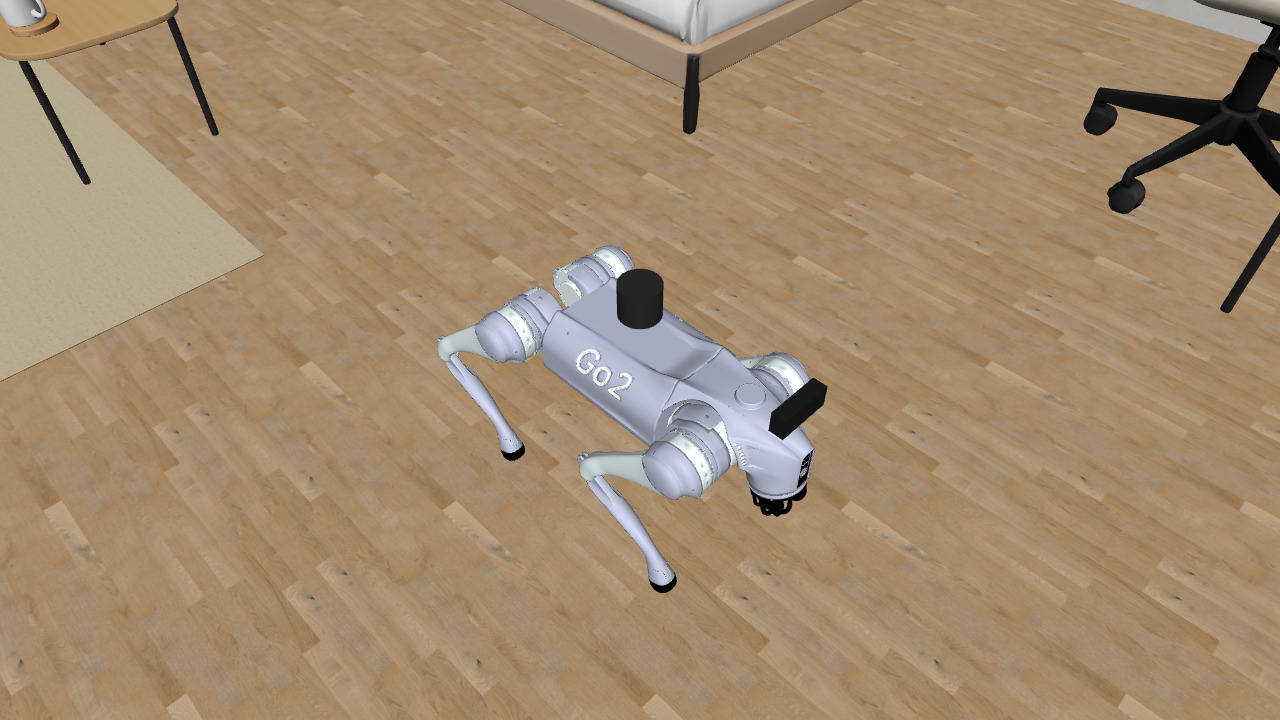
Unitree Go2 MuJoCo for Robonix
English | 简体中文
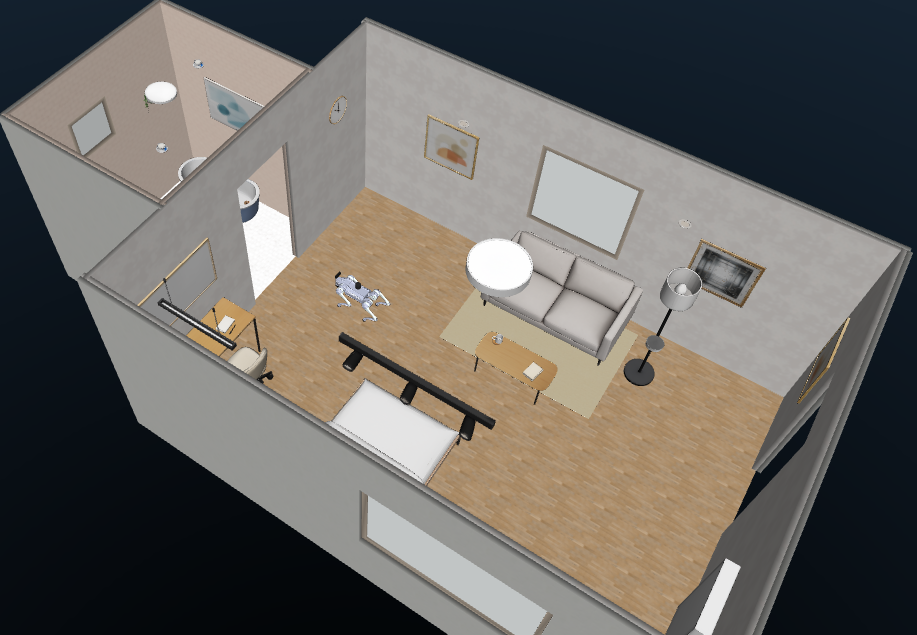
A self-contained Robonix body package for a simulated Unitree Go2. It provides Web MuJoCo WASM and native Python MuJoCo backends with the same chassis, LiDAR, IMU, RGB-D, mapping, exploration, navigation, and Scene capabilities.
The included go2_rl_gym MoE ONNX policy can be loaded or disabled while the
simulator is running and is disabled at startup. Without the policy, a
deterministic gait handles indoor flat-floor motion. The package contains no
physical Unitree transport, arm, speech, or policy-training dependency.
Demo
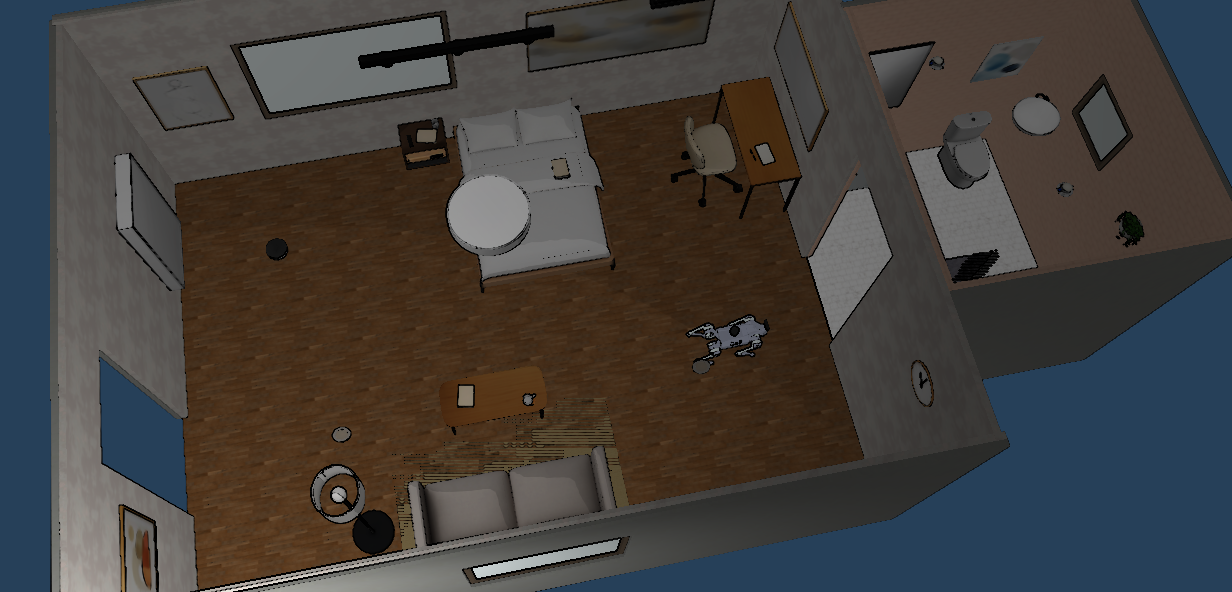
Indoor Navigation
| Web MuJoCo | Native MuJoCo |
|---|---|
 |
|
| SceneSmith House 185 | SceneSmith House 185 |
Both backends publish the same simulated ROS 2 sensor and odometry interfaces. MuJoCo geometry remains the source of collision, LiDAR, and depth data; the SceneSmith Mesh assets provide the visible environment.
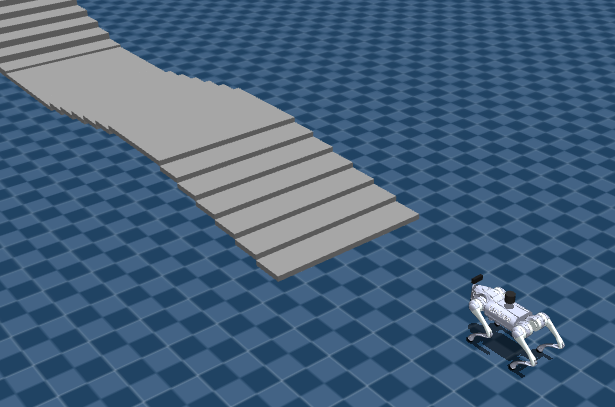
Rough-Terrain Policy
| Stair course | Race track |
|---|---|
 |
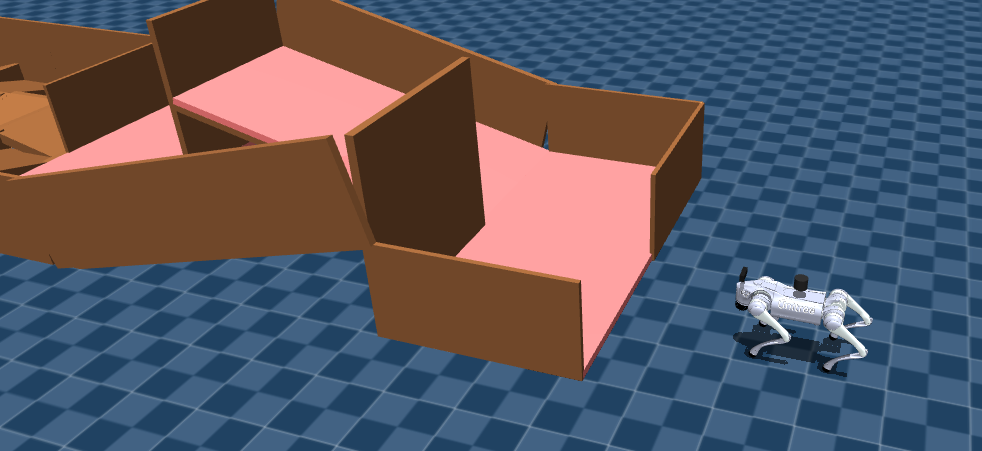 |
go2_rl_stairs |
go2_rl_track |
These courses are intended for direct policy evaluation. They do not provide the calibrated maps and semantic annotations used by indoor navigation.
Capabilities
| Component or service | Provider | Exposed capability |
|---|---|---|
| Go2 base | go2_chassis |
Measured relative motion, continuous Twist input, odometry |
| MID-360 LiDAR | mid360_lidar |
2D LaserScan, 3D PointCloud2, snapshots |
| MID-360 IMU | mid360_imu |
Angular velocity and linear acceleration |
| Front RGB-D camera | front_camera |
RGB, optical depth, calibration, snapshots |
| RTAB-Map | mapping |
Occupancy map, fused cloud, map-frame pose, persistence |
| Nav2 | nav2 |
Absolute pose navigation, speed limits, obstacle avoidance |
| Scene | scene |
Observed objects, spatial context, safe nearby goals |
| Explore | explore |
Asynchronous frontier exploration |
| Floor transition | floor_transition |
Calibrated stair traversal and per-floor map switching |
Relative commands such as "move forward 0.3 metres" use measured chassis odometry. Absolute map coordinates and Scene object destinations use Nav2. Semantic navigation only targets objects actually observed through the RGB-D camera; simulator object coordinates are not injected into Scene.
Architecture
rbnx chat / rbnx ask
        |
Pilot + Executor + Atlas + Soma
        |
Scene / Mapping / Nav2 / Explore / Floor Transition
        |
four local primitives
        |
ROS 2 <-> WebSocket bridge <-> Web MuJoCo WASM
                         \----> native Python MuJoCo
                               |-- joint-torque control
                               |-- LiDAR, IMU and RGB-D
                               `-- optional ONNX inference
Robot dimensions and capability composition are defined in soma.yaml; the
transform tree is in urdf/go2.urdf; robot-specific Mapping and Nav2 parameters
live in config/. See simulation architecture for the
runtime boundaries.
Requirements
The package is designed for x86_64 Ubuntu 22.04 or WSL2 with:
- Docker Engine and the Compose plugin;
- Node.js 20 or newer, Python 3.10+,
uv, andcurl; - an installed
rbnxCLI and a local Robonix source tree; - Chromium with WebGL 2 for the Web backend;
- X11/WSLg, hardware OpenGL, and the configured GPU device for the native viewer;
- network access to npm, GitHub, and Playwright downloads during bootstrap.
Native MuJoCo physics and the included ONNX network run on CPU. The native
viewer and offscreen RGB camera use OpenGL. --headless closes the viewer but
still requires working camera rendering.
Installation
1. Install Robonix
Install Robonix and make its source tree available locally.
2. Configure this body package
git clone <repository-url> ~/robot-unitree-go2_mujoco
cd ~/robot-unitree-go2_mujoco
cp .env.example .env
Edit .env and provide at least:
ROBONIX_SOURCE_PATH=/home/your-name/robonix
VLM_BASE_URL=your-model-url
VLM_API_KEY=replace-me
VLM_MODEL=your-model-name
Keep credentials in the ignored .env file or exported environment variables.
The simulator itself does not need a VLM key; Pilot and Scene use it for
language and visual reasoning.
3. Bootstrap
bash scripts/bootstrap.sh
Bootstrap installs frontend dependencies and Playwright Chromium, builds the ROS 2 bridge image, generates primitive bindings, validates local packages, and builds the Robonix deployment. Runtime assets and the pretrained policy are already included; ordinary startup does not download SceneSmith datasets or train a policy.
Start
Use three terminals. Only one simulator backend and one Robonix stack may own the configured ROS graph and ports at a time.
Terminal 1: MuJoCo Simulator
Web backend:
cd ~/robot-unitree-go2_mujoco
bash sim/start.sh --backend web --environment scenesmith_house_185
Native viewer:
bash sim/start.sh --backend native --viewer --environment scenesmith_house_185
Native without the viewer:
bash sim/start.sh --backend native --headless --environment scenesmith_house_185
Wait for [sim/start] ... ready. The operator pages are:
Web:          http://127.0.0.1:5181/
Native panel: http://127.0.0.1:5181/?backend=native
Bridge:       http://127.0.0.1:8766/health
Terminal 2: Robonix Body Package
cd ~/robot-unitree-go2_mujoco
source scripts/env.sh
rbnx boot --no-update-check
Run rbnx boot from the repository root so it finds
robonix_manifest.yaml. Mapping, Nav2, Scene, and the four primitives should
become ACTIVE; skills may remain inactive until requested.
Terminal 3: Chat
cd ~/robot-unitree-go2_mujoco
source scripts/env.sh
rbnx caps -v
rbnx tools
rbnx chat
Example requests:
Capture the front camera and describe the room.
Move forward by 0.3 metres.
Navigate to map coordinate x=6.09, y=2.05 with final yaw=0.
Explore the rooms for 120 seconds at no more than 0.18 m/s and return the task ID.
List the objects observed by Scene.
Move near the closest observed table.
In the multilevel house, go upstairs, downstairs, or to floor 1/2.
Exploration and floor transition are asynchronous. Keep the returned run_id
for status and cancellation. Do not run direct motion, navigation, exploration,
or floor transition concurrently.
Policy and Controls
The policy selector and Load / Disable Policy action are in the top-right
Simulation > Policy folder for both backends. Loading or disabling a policy
does not reset the robot pose. Production mode leaves motion under Robonix and
does not register keyboard driving or native viewer motion callbacks.
Enable local keyboard driving explicitly for development:
bash sim/start.sh --backend web --dev --environment go2_rl_stairs
bash sim/start.sh --backend native --viewer --dev --environment go2_rl_stairs
Development keys are W/S forward/backward, A/D yaw, Q/E lateral, Space stop, and X reset. The native viewer also supports L to load or disable the policy.
The included policy is go2_moe_cts_high_slope_thre_164k_0.6715 from
wty-yy/go2_rl_gym. It consumes five 45-value observation frames, runs at
50 Hz with a 0.002 s physics step, and preserves the upstream joint order,
action scale, and PD gains. See
policy provenance.
When the policy is disabled, a deterministic joint-torque gait provides flat indoor locomotion. When it is loaded, bounded velocity feedback compensates the released policy for low-speed navigation commands. Neither controller guarantees safe traversal of arbitrary terrain.
Environments
| Environment ID | Purpose | Web | Native |
|---|---|---|---|
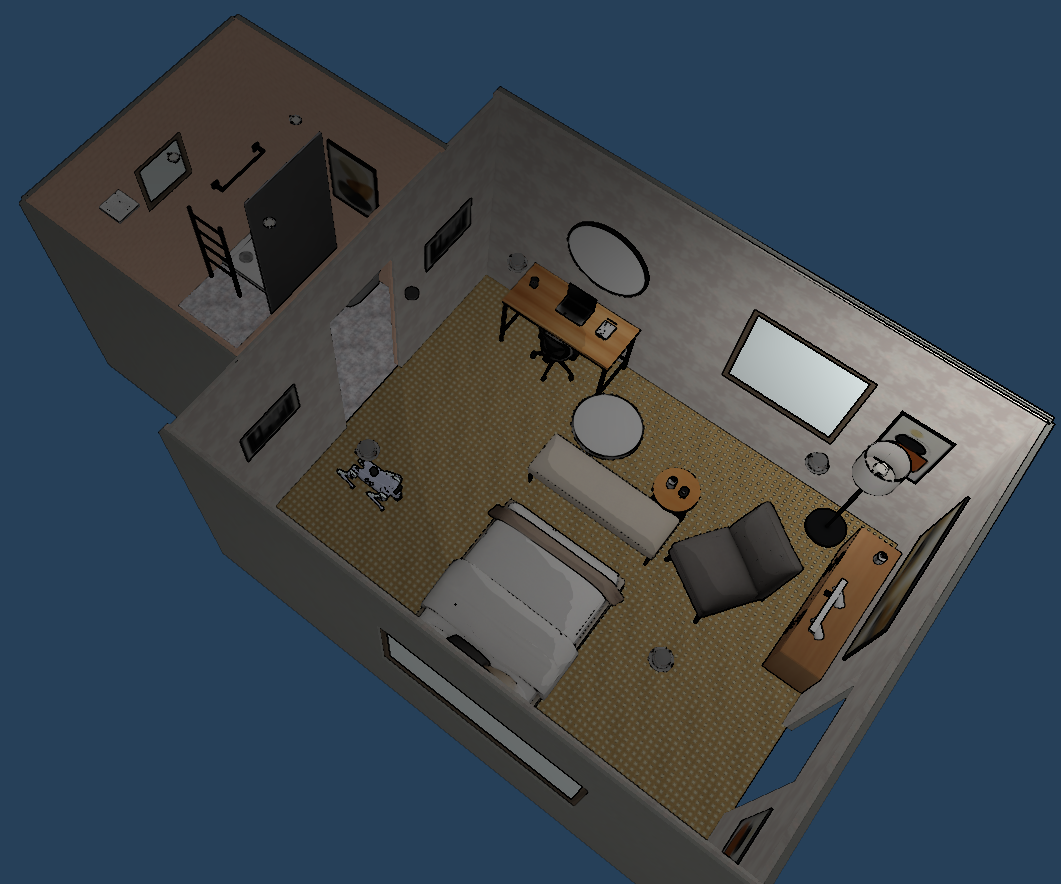
scenesmith_house_185 |
Multiroom living area and bathroom; default mapping/navigation scene | Yes | Yes |
scenesmith_house_186 |
Multiroom bedroom and bathroom | Yes | Yes |
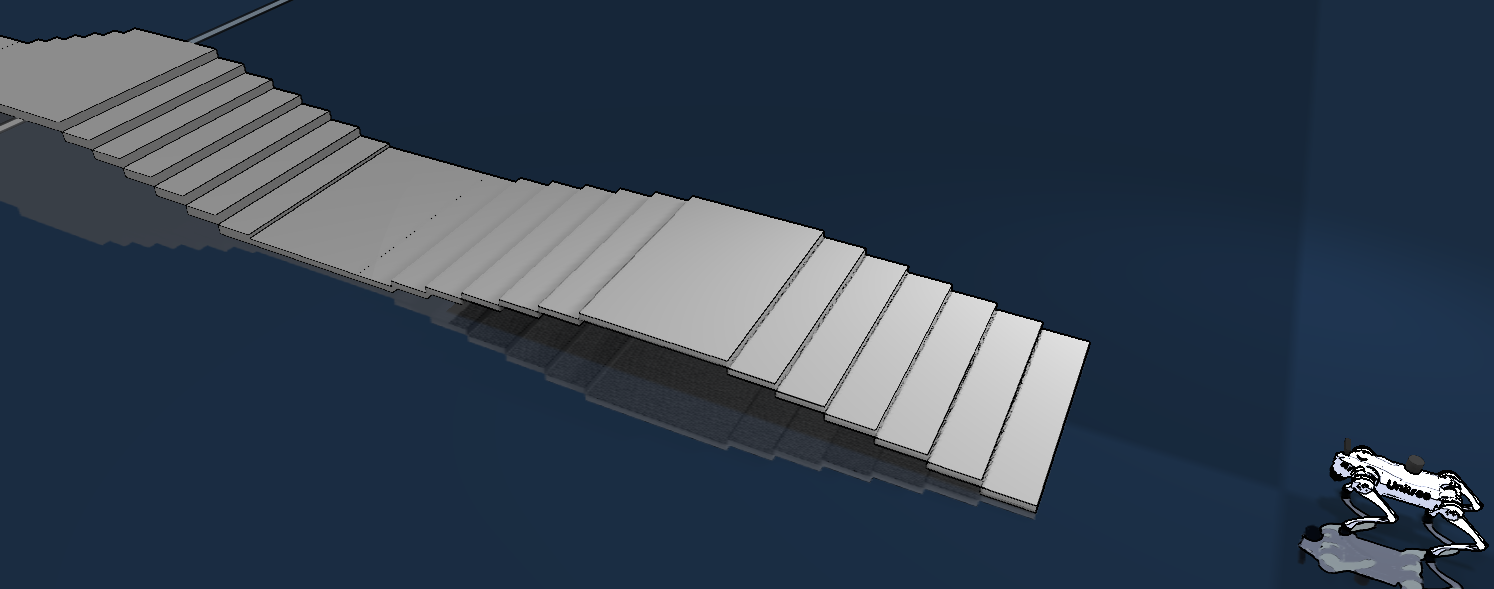
go2_rl_stairs |
Original go2_rl_gym stair course | Yes | Yes |
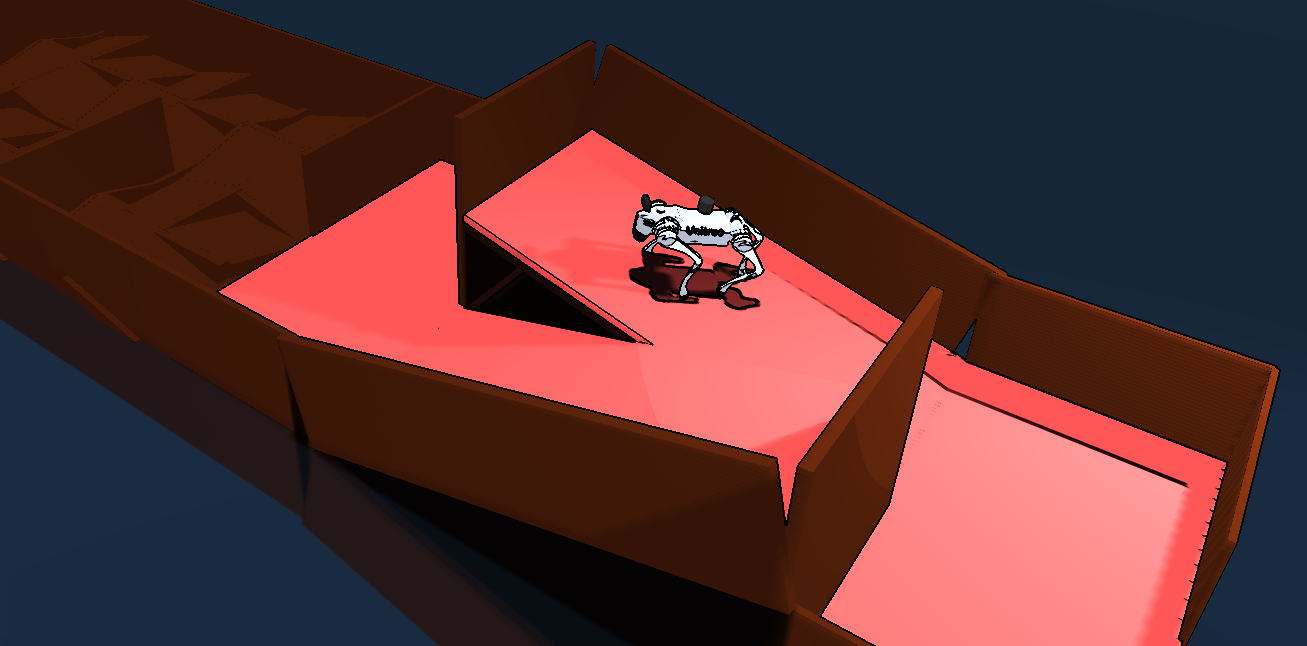
go2_rl_track |
Original go2_rl_gym race track | Yes | Yes |
scenesmith_multilevel_house |
Calibrated two-floor house with one straight stair | Yes | Yes; recommended for floor transition |
Stop Robonix and the simulator before changing environments, then restart both with the new environment ID. This prevents stale maps and semantic poses from being reused in another scene.
Environment Gallery
Web MuJoCo
| House 185 | House 186 |
|---|---|
|
 |
| Stair course | Race track |
 |
 |
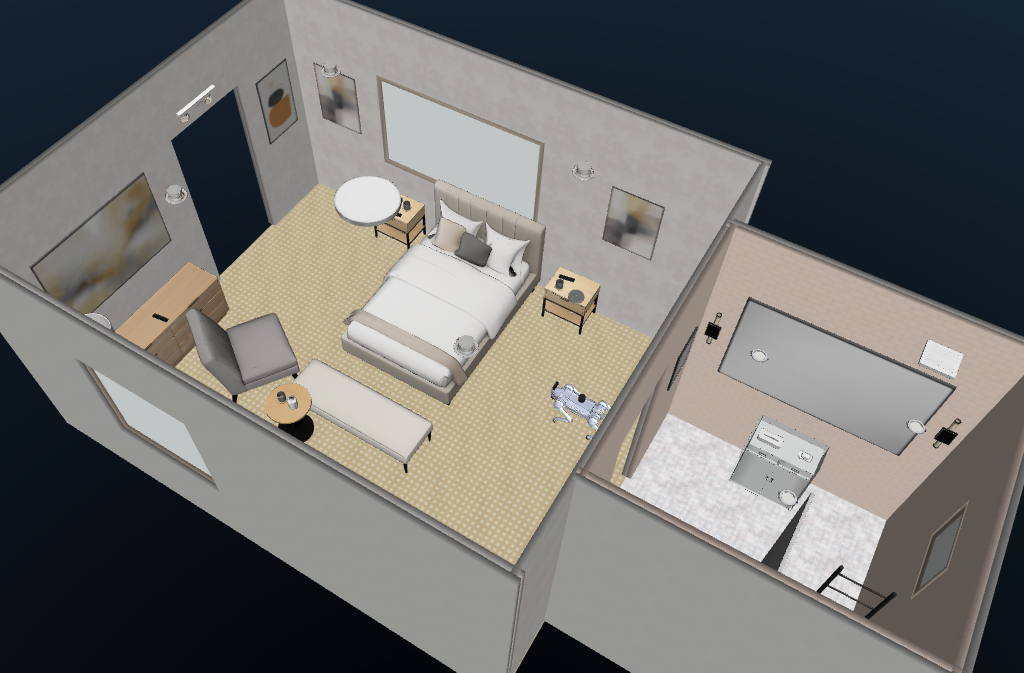
Native MuJoCo
| House 185 | House 186 |
|---|---|
|
 |
| Stair course | Race track |
|
|
Two-floor house:
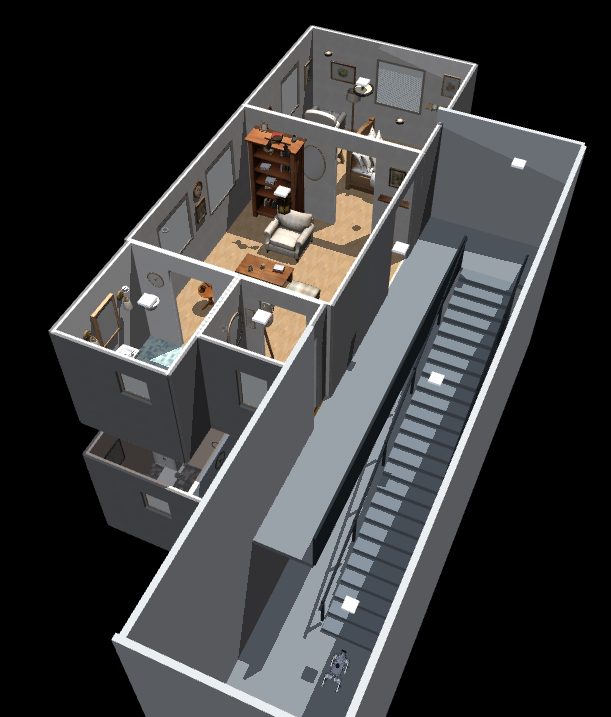
Scene provenance and repeatable import commands are recorded in docs/scenes.md.
Floor Transition
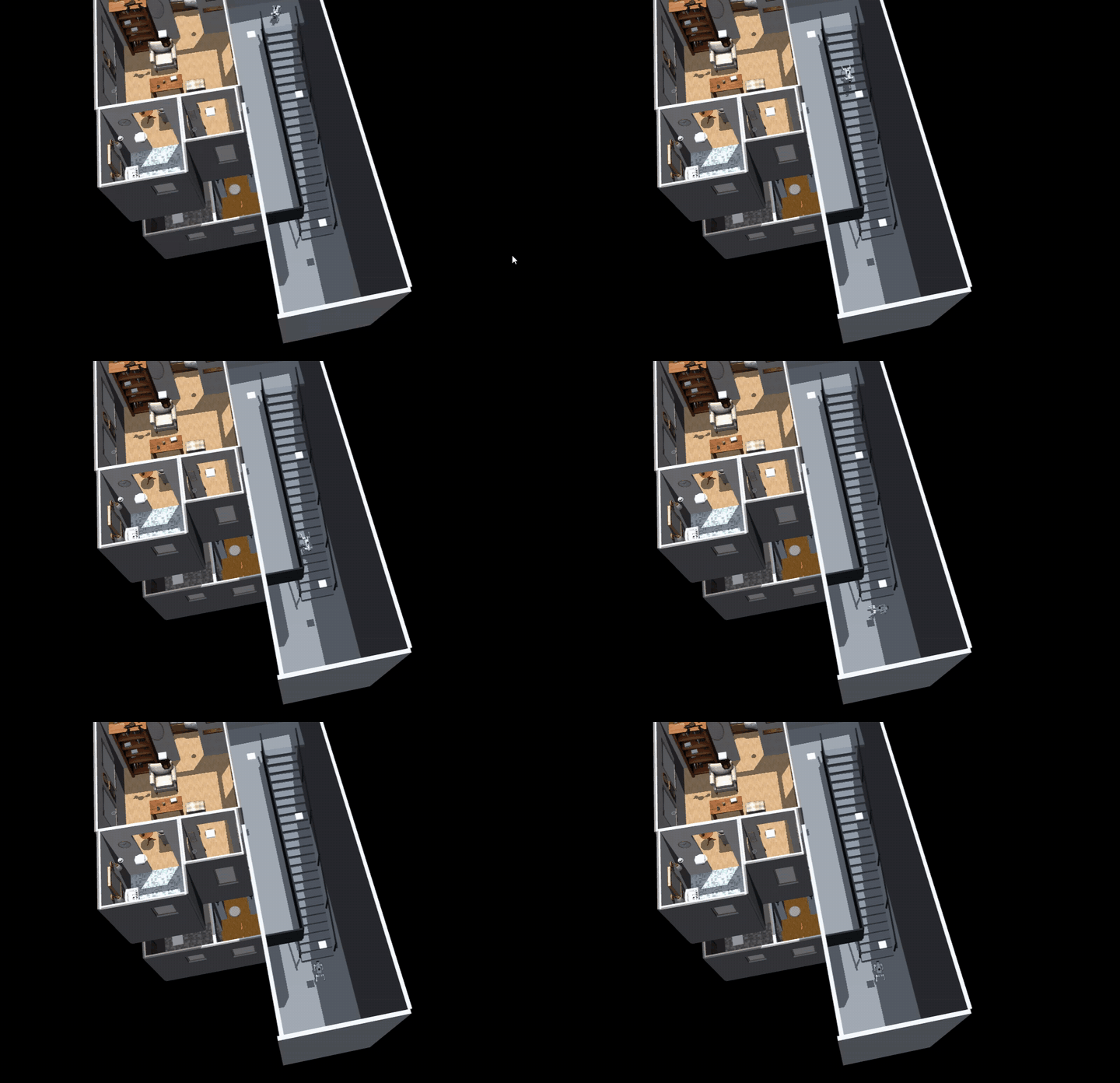
Watch the complete 88-second ascent and descent demo
floor_transition is a deployment-owned skill for the fixed
scenesmith_multilevel_house environment. It approaches the calibrated stair
with the deterministic gait, loads moe_rough for the stair segment, verifies
position, heading, lane error, body attitude and landing height, then loads the
destination floor map. It supports UP, DOWN, GO_TO_FLOOR(1|2), status,
and cancellation.
Install the packaged maps before the first run:
The installer expands the repository's xz-compressed databases to
rtabmap.db in the runtime map directory; Git LFS is not required.
bash scripts/install-prebuilt-maps.sh
bash sim/start.sh --backend native --viewer --environment scenesmith_multilevel_house
Deterministic commands that bypass Pilot/VLM are available after the simulator and Robonix stack are running:
bash scripts/floor-transition.sh up
bash scripts/floor-transition.sh down
bash scripts/floor-transition.sh floor 2
bash scripts/floor-transition.sh floor 1
This skill is calibrated for one known straight stair and two packaged floor maps. It does not discover unknown stairs, select among multiple connectors, plan a single 2D path across floors, or provide real-hardware safety certification. Do not copy the existing coordinates to another environment. See the multi-floor demo guide for the state sequence, annotations, map identities, safety checks, and manual acceptance.
Native Named Actions
The named_action skill provides one unified stunt control mode in Native
MuJoCo. Its current scope is limited to the yard environment and includes
crouch, bow, dance, sway, stretch, jump, backflip, and handstand walking. At
startup, the package downloads and verifies pinned public ONNX weights from
stunt-assets.lock.json:
bash sim/start.sh --backend native --viewer --environment yard
bash scripts/named-action.sh --list
bash scripts/named-action.sh bow
bash scripts/named-action.sh backflip
bash scripts/named-action.sh handstand_walk --timeout 45
An action may start only inside a safety zone manually annotated in
assets/environments/yard/named_actions.json. Admission checks body attitude,
height, linear and angular velocity, leg-joint velocity, all-foot contact, and
the configured settling time. While an action is active, it has exclusive
control over the base: the fallback gait, MoE, Nav2/Explore /cmd_vel, and
other named actions cannot drive the robot concurrently. After the stunt, the
controller first recovers to a standing pose and retains ownership until the
skill releases the same action ID back to the base gait. Named actions do not
write qpos, apply external forces, or alter gravity. See
skills/named_action/README.md for the full
scope, preconditions, lifecycle, configuration, and extension requirements.
rbnx chat Examples
Navigation targets may use Mapping map coordinates. The examples below
apply to a newly started or reset yard live map, where map -> odom is the
identity transform and the numeric map coordinates match the annotated scene
positions. Enter them one at a time in rbnx chat; Pilot navigates first,
waits for the robot to settle, and then calls the corresponding named action.
Move to map coordinate x=-4.5, y=0.0 with heading 0 radians, then crouch.

Move to map coordinate x=-4.5, y=0.0 with heading 0 radians, then bow.

Move to map coordinate x=-4.5, y=0.0 with heading 0 radians, then dance.

Move to map coordinate x=-4.5, y=0.0 with heading 0 radians, then sway from side to side.

Move to map coordinate x=-4.5, y=0.0 with heading 0 radians, then stretch.

Move to map coordinate x=3.2, y=0.0 with heading 0 radians, wait until settled, then jump in place.

Move to map coordinate x=-4.5, y=0.0 with heading 0 radians, wait until settled, then do a backflip.

Move to map coordinate x=-4.6, y=0.0 with heading 0 radians, wait until settled, then perform a handstand walk in the positive X direction.
When Go2 is already stationary inside the corresponding safety zone, short
commands such as "bow," "do a backflip," or "perform a handstand walk" are also
valid. Safety zones remain annotated in MuJoCo world/odom coordinates. After
loop-closure optimization of the online .live map, map -> odom may no
longer be the identity transform. In that case, use the actual map
coordinates shown by the mapping interface or transform the annotated safety
zone position with the current TF; do not reuse the example numbers blindly.
A loaded fixed map provides stable map coordinates and is preferable for
repeatable user commands.
Validation
Offline checks:
npm test
python3 -m unittest discover -s primitives/tests
Live checks after starting the simulator and Robonix:
# Sensors, registered providers and map:
bash scripts/acceptance.sh --require-stack --require-map

# Measured forward/backward and +/-30 degree rotation:
bash scripts/acceptance.sh --relative 0.4

# Absolute map-frame arrival and cancellation; choose a free mapped pose:
bash scripts/acceptance.sh --navigate 5.6 2.4 --yaw 0

# Scene object approach and autonomous exploration:
bash scripts/acceptance.sh --semantic --object-id scene.object.table_001
bash scripts/acceptance.sh --explore --explore-duration 150 --explore-timeout 240 --explore-speed 0.18

# Native model, sensors and policy switching:
docker exec mujoco_go2_sim python3 /workspace/sim/tests/native_smoke.py --environment all --policy
Acceptance moves the robot. Run motion and navigation once with moe_rough
disabled and once after loading it, without another active controller.
Stop
cd ~/robot-unitree-go2_mujoco
source scripts/env.sh
rbnx shutdown
bash sim/stop.sh
The lifecycles are independent: rbnx shutdown does not stop MuJoCo, and
sim/stop.sh does not stop Robonix. Logs are written under .runtime/ and
rbnx-boot/logs/.
Add Environments
Environment packages are registered in assets/environments/manifest.json.
A Mesh environment normally contains scene.xml, index.json, spawn.json,
and referenced meshes/textures. SceneSmith conversion, collision preparation,
spawn search, map generation, and source checksums are documented in
docs/scenes.md. Add new environments as environment packages;
do not duplicate the Go2 primitives or policy controller per scene.
Limitations and Safety
- This package controls a simulated Go2; it is not a real-hardware safety layer.
- Direct relative motion is not collision-aware; use Nav2 for room-scale travel.
- Scene cannot navigate to an object that has not been observed.
- Exploration, navigation, direct motion, and floor transition require exclusive motion ownership.
- The rough-terrain policy is a released pretrained controller, not a guarantee of success on arbitrary stairs, slopes, friction, or obstacle geometry.
- Resetting or dragging the robot invalidates active Mapping/Nav2 tasks and persisted floor-transition assumptions.
Repository Layout
| Path | Purpose |
|---|---|
assets/robots/go2/ |
Go2 MJCF, meshes, deterministic controller and ONNX policy |
assets/environments/ |
Independently selectable scene packages |
primitives/ |
Chassis, LiDAR, IMU and RGB-D providers |
skills/explore/ |
Frontier exploration adaptation |
skills/floor_transition/ |
Calibrated two-floor stair skill |
skills/named_action/ |
Native stunt orchestration, exclusion and recovery skill |
sim/native/ |
Native MuJoCo runtime and policy inference |
sim/bridge/ |
ROS 2 and WebSocket bridge |
src/ |
Web MuJoCo runtime, sensors and operator panel |
config/, soma.yaml, urdf/ |
Navigation, body composition and transforms |
robonix_manifest.yaml |
Robonix deployment entry point |
Upstream Projects and License
The integration follows runtime patterns from mujoco_robonix, builds on MuJoCo-GS-Web, and references the real Go2 Robonix body package. MuJoCo model assets retain their Unitree BSD notice; the frontend foundation retains its MIT license. SceneSmith assets and go2_rl_gym weights/courses retain their upstream notices. See NOTICE and the repository license files.